UGC reaction videos: a practical workflow for brands
Turn reaction footage into a clear product story. A practical workflow for clip selection, demonstrations, editing, honest claims, and final review.

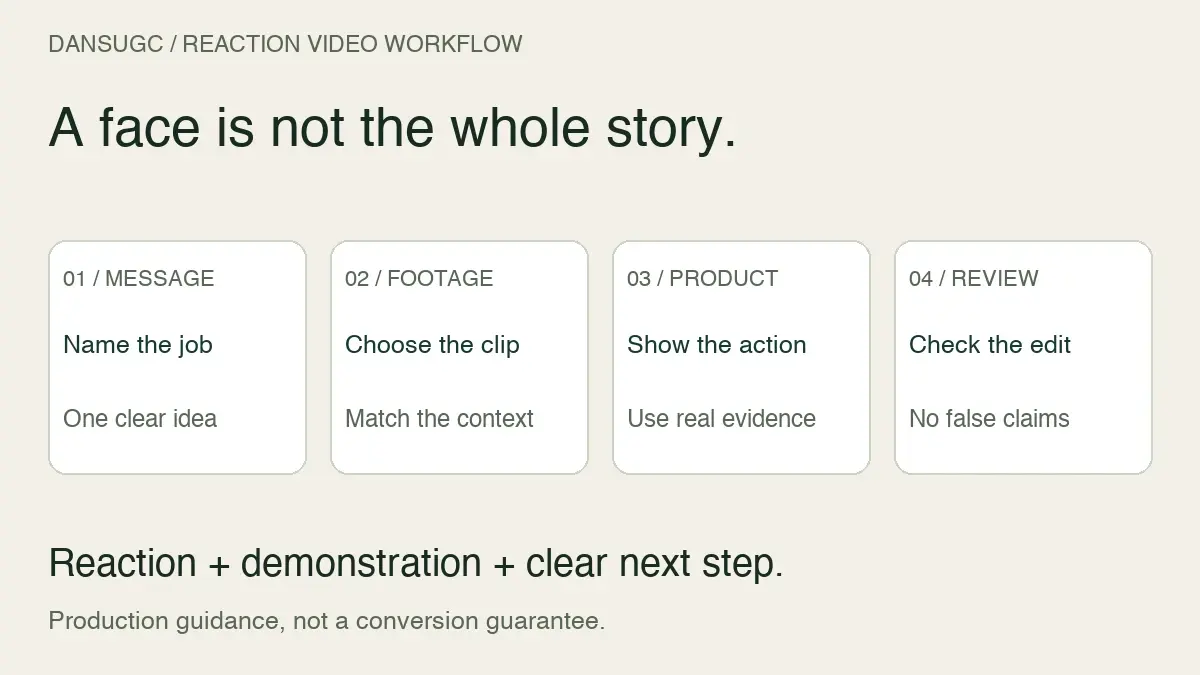
To make UGC reaction videos for a brand, start with the message you need to communicate. Choose relevant human footage, connect it to an accurate product demonstration, add a clear next step, and review the finished edit for misleading implications. A reaction can introduce a story. It cannot prove that a product works or guarantee a conversion.
I’m Daniel, founder of DansUGC. This is a practical production workflow for teams assembling reaction-led content. It is not a performance study. The example below is hypothetical, and the checklists are editorial tools rather than a formula for guaranteed results.
What counts as a UGC reaction video?
A UGC reaction video uses footage of a person’s expression or response as part of a brand’s content. It can contain a genuine recorded product experience, commissioned performance, or an existing reaction clip. Those sources are not interchangeable.
If someone actually tried your product, describe their experience accurately. If you license a pre-filmed surprised expression, do not caption it as that person’s first time using your product. The face may help illustrate an idea, but it is not a customer testimonial.
An earlier version of this guide claimed that reactions produce two to three times the click-through rate of traditional ads and gave unsupported watch-time and pay benchmarks. We have removed those claims. This guide explains how to produce and evaluate an edit without inventing evidence about its likely results.
1. Write the product message before choosing a face
Start with one sentence: “After watching, the viewer should understand [specific product action or benefit] and be able to [next step].” If you cannot finish that sentence clearly, more expressive footage will not solve the brief.
For a hypothetical study app, the sentence might be: “The viewer should understand how to turn their own notes into a practice quiz and know where to try the workflow.” That is a demonstrable action. “This app will guarantee better grades” is a different claim that this example does not support.
List the evidence you need to show. For that app, it could be an accurate recording of importing notes, generating questions, and opening the quiz. Decide which parts must be filmed specifically for the product and which can use existing footage.
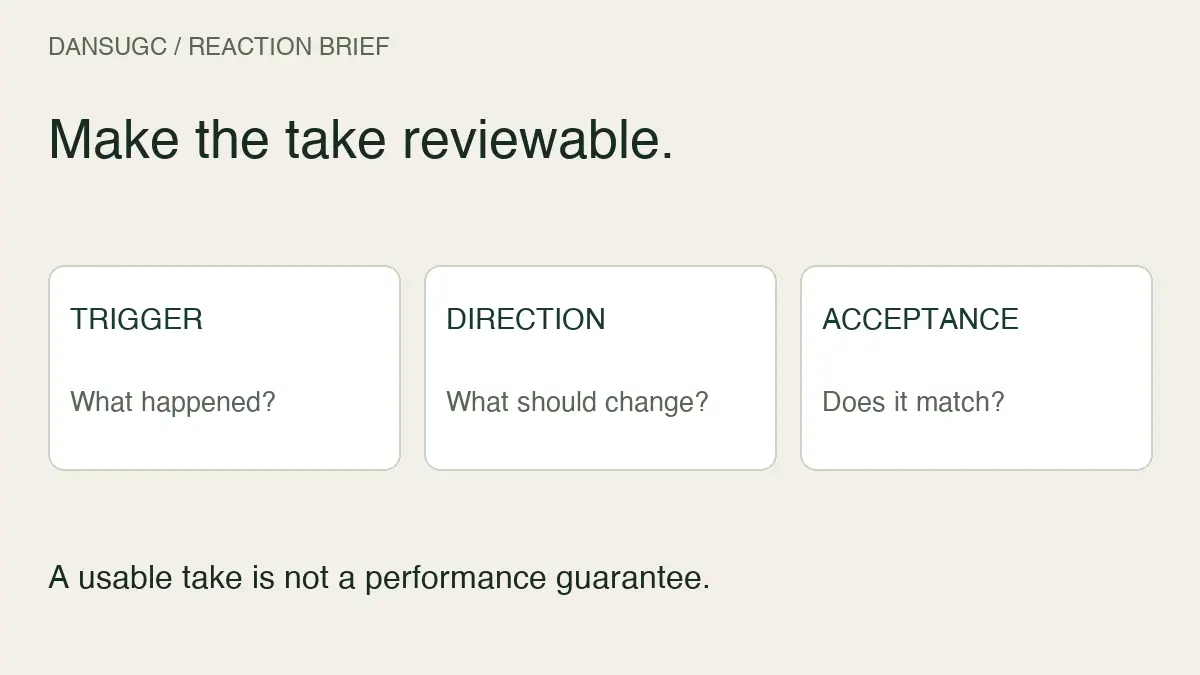
If you are commissioning new reactions rather than editing existing clips, use the reaction-video brief template to communicate the required shots, deliverables, and approval process. This article starts at the assembly stage, after the message and source requirements are clear.
2. Inspect the full clip, not just its thumbnail
Choose footage that supports the intended tone and leaves room for the product information. A dramatic expression may be wrong for a calm explanation. A subtle response may be easier to integrate than a large gesture that competes with the demonstration.
Preview the actual sequence and check:
- Expression: does the visible emotion fit the message without implying an unsupported outcome?
- Timing: is there a usable moment before and after the expression for your edit?
- Framing: will the face remain readable when captions or product footage are added?
- Motion: can you cut into and out of the clip without an awkward jump?
- Background: does anything distract from, contradict, or confuse the product story?
- Permissions: is the intended use covered by the terms for that specific asset?
Our annotated real UGC clips provide examples of inspecting visible footage. Treat those observations as selection guidance, not a ranking of which creator will convert best.
Keep the source file and its permissions with the project. An editor should not have to guess where an asset came from when a teammate later repurposes the video.
3. Connect the reaction to something the viewer can verify
Use the reaction to introduce or respond to an actual product moment. Then show enough of that moment for someone unfamiliar with the product to understand it.
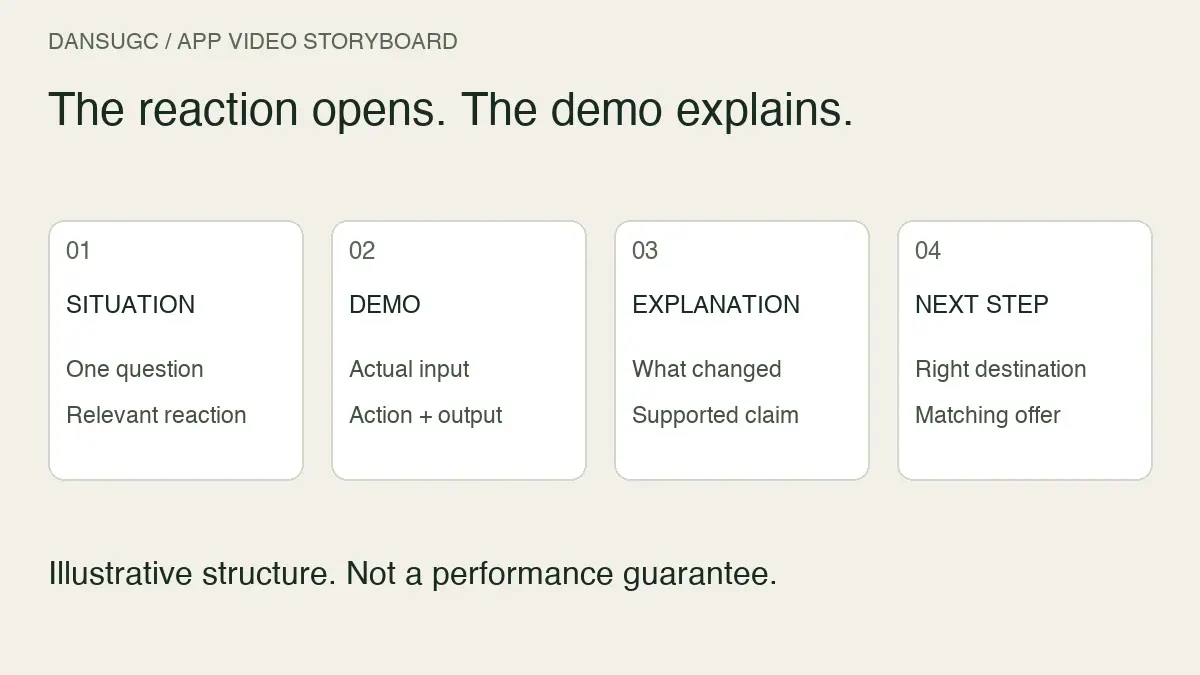
A simple assembly is: situation, reaction, demonstration, next step. The order can change. The important part is that the footage and text tell the same story. There is no required second-by-second structure in this guide.
For example, a confused expression can accompany a brand-written line about disorganized notes. The next shot can show the product organizing those notes. Avoid writing “I used this and passed my exam” over generic footage. That turns an illustration into an apparent personal experience without supporting evidence.
Also check the demonstration itself. Use the current interface, remove private information, and make sure the action shown is available under the offer you are promoting. Do not cut around a required step in a way that makes the product appear to do something it cannot.
A hypothetical study-app edit
This example is a production exercise, not a client result, measured winner, or recommended video length.
- Opening: show a real sample of messy study notes with brand-written text, “Notes everywhere. What should you practise first?”
- Reaction: use a puzzled expression as an illustration of that situation, without claiming the person is a customer.
- Product moment: show the app importing those sample notes and displaying a practice quiz, if that is a real supported feature.
- Explanation: label the relevant action so the viewer can follow it without relying only on the expression.
- Next step: invite the viewer to inspect the workflow or try the product under its actual current terms.
For a second version, change the opening question while keeping the demonstration and destination consistent. Label each version clearly. A new caption is a new edit, not evidence of a new customer outcome.
If the reaction adds nothing useful, remove it. The format should serve the explanation rather than force every product into the same emotional template.
4. Review the message with sound on and off
Watch the exported file, not only the editing timeline. Check that captions remain readable, the demonstration is large enough to inspect, and the next step does not disappear before a viewer can understand it.
Review without sound to catch missing context. Then review with sound to catch conflicting captions, abrupt cuts, or audio that changes the meaning of a scene. Finally, preview the placement you intend to use so its interface does not cover essential information.
These are quality checks, not claims about platform algorithms. Do not assume that a particular hook length, background, or camera type earns distribution automatically.
Use our pre-publish UGC quality scorecard for a more detailed review. Keep a short note on what failed and what changed so the next editor does not repeat the same problem.
5. Check endorsements and disclosures before publishing
For US-facing endorsements, the FTC’s Disclosures 101 guidance says material brand relationships should be disclosed clearly. It also says people cannot describe product experiences they have not had or make claims requiring evidence the advertiser lacks. Video disclosures should appear in the video, not only its description.
That makes the distinction between illustration and endorsement important. A license to use footage does not establish that the person used your product. Review the complete impression created by the face, captions, voiceover, and surrounding demonstration. This is a practical checkpoint, not a complete legal review.
6. Separate production approval from performance measurement
A finished edit can pass the brief and still fail to attract the right audience. Conversely, a highly clicked video may send visitors who do not want the offer. Track those as different questions.
Before publication, record the asset source, edit version, opening message, destination, and intended audience. After publication, record the actual distribution context and the available results. Use consistent definitions and date windows when comparing versions.
Do not declare a winner from a handful of clicks or compare an organic post with a paid placement as if exposure were identical. If visits do not become signups or purchases, check the destination, offer, and measurement as well as the creative. A reaction is only one part of the journey.
A handoff checklist for the editor
- One specific message and next step are clear.
- Product footage demonstrates something real and current.
- The reaction is relevant and does not falsely imply personal experience.
- Source permissions and any usage limits are documented.
- Captions, audio, and product footage agree.
- Necessary disclosures are visible in the relevant context.
- The exported file has been reviewed at its intended viewing size.
- The version name and destination are recorded for later review.
If the missing input is existing human footage, browse the DansUGC reaction library and inspect a few clips against your message before buying. If the concept requires someone to handle your exact product or speak a new script, plan a custom shoot instead. More files will not replace a missing product demonstration.
UGC reaction video FAQs
Can a stock reaction clip be used as a testimonial?
Not simply because the footage shows a real person. A reaction clip does not establish that the person used the product or experienced a result. Keep the edit accurate about what the footage represents.
Do reaction videos always convert better?
No universal uplift is established here. Results depend on the audience, message, offer, destination, distribution, and measurement. Evaluate actual results rather than treating the format as a guarantee.
Should I buy ready-made footage or commission a creator?
Use existing footage when it fits the concept and its permissions cover the use. Commission new footage when you need a specific product interaction, script, setting, or genuine recorded experience that the available clips do not contain.
How long should the video be?
Use enough time to communicate the message and demonstrate the relevant action without unnecessary repetition. This guide does not claim an optimal length. Review the export in context and evaluate the results of your own versions.
Ready to get UGC videos for your brand?
Real human creators, 48-hour delivery, full commercial rights. Starting at $9/video.