UGC reaction video brief: template, example, and review checklist
Brief the trigger, expression, eyeline, and usable timing. Copy a filled app-reaction example and check the delivered footage against the agreed scope.

A UGC reaction video brief should tell the creator exactly what they are reacting to, which emotion to show, how intense it should feel, where to look, what must be visible in the first frame, and how long the usable moment should last. It should also define the crop, audio, file delivery, editing rights, and paid-media rights.
That is the job. Not “make it viral.” Not “look shocked.” Those are wishes, not production instructions.
Reaction footage can become a hook, a transition, or the emotional half of a reaction-plus-demo edit. It is not proof of a customer experience. The footage only makes sense when the emotion fits the message around it. A surprised face attached to an unsupported claim does not make that claim true.
What is a UGC reaction video?
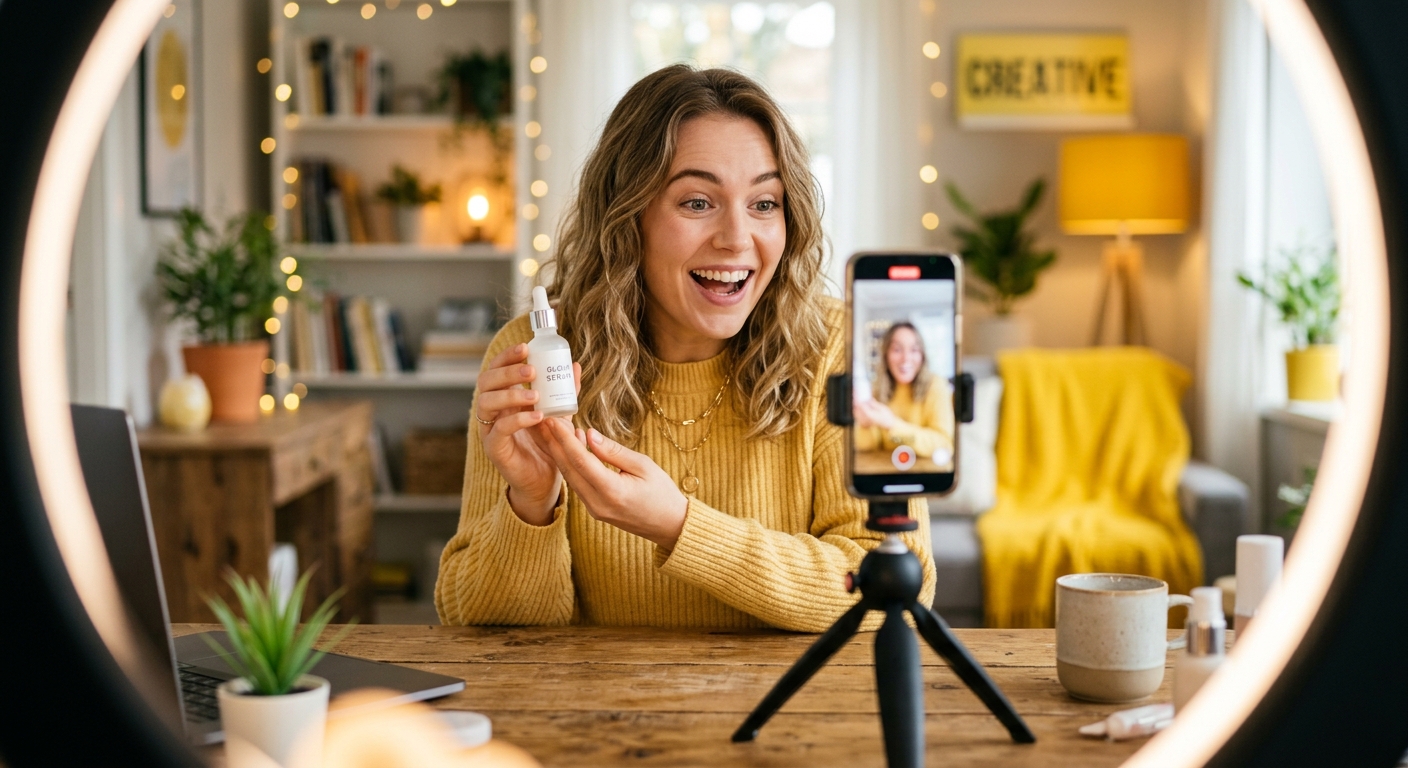
A UGC reaction video is a short creator-made clip in which a readable human response is the main visual event. The creator might react to a product reveal, app result, price, problem, comment, demonstration, before-and-after, or story beat.
The reaction can be positive, negative, skeptical, confused, relieved, delighted, or deliberately restrained. It can be silent footage for an editor or a spoken response. The defining feature is that the viewer can understand the emotion quickly enough for it to support the message.
This guide is about briefing that footage. For the broader distinction between raw footage, finished ads, licensing, and modular editing, use the UGC clips guide.
Start with the trigger, not the emotion
“Act surprised” is incomplete because the creator has no reason to be surprised.
Give the reaction a trigger:
- seeing a price that is lower than expected;
- discovering an app can complete a task in one step;
- reading an unexpected customer comment;
- noticing a visible before-and-after difference;
- opening a package and seeing the product for the first time;
- realizing a common mistake has an easy fix;
- watching a demonstration succeed or fail.
The trigger does not have to appear in the creator’s footage. Your editor may add it as a screen recording, product shot, comment, or caption. But the creator needs to know what the imagined moment is.
The clean production sentence is: “You have just seen [trigger]. React with [emotion] at [intensity]. Look [eyeline]. Hold the final expression for [duration].”
That gives a creator something they can perform consistently.
Define the emotion and its intensity separately
Emotion and intensity are different variables.
“Frustrated” could mean a small eye roll, a hand on the forehead, or visible anger. “Excited” could mean a quiet smile or both hands in the air. If you do not set the intensity, the creator has to guess how far to push it.
Use a simple five-point direction scale:
- barely visible: a micro-expression that feels natural in a quiet story;
- subtle: clear at phone size without looking theatrical;
- readable: obvious emotion with normal body movement;
- strong: exaggerated enough to work as a visual hook;
- maximum: deliberately over-the-top and only useful when the format calls for it.
Ask for two adjacent levels when you are unsure. For example, record one take at level 2 and one at level 3. That gives the editor options without asking for five versions of the same moment.
Do not assume maximum energy is automatically better. The correct intensity is the one that makes the surrounding claim believable.
Specify the first frame
The first frame determines whether the clip is immediately understandable.
For most reaction briefs, specify:
- face size in the frame;
- whether one or both hands should be visible;
- neutral starting expression or reaction already in progress;
- eye direction;
- empty space needed for captions or a product overlay;
- whether the creator should hold a phone, product, parcel, or nothing;
- wardrobe or background constraints that actually matter.
If the clip will sit beside an app demonstration, tell the creator which side needs clean space. If it will be cropped into a split screen, say which half of the final edit will contain the reaction.
“Vertical, close-up, eyes visible, shoulders in frame, clear space above the right shoulder” is useful. “Make it scroll-stopping” is not.
Direct the eyeline
Eyeline tells the viewer what the creator is reacting to.
Use one of four directions:
- camera: direct connection with the viewer;
- off-camera left or right: useful when the edit places a demo, comment, or product beside the creator;
- down at a phone or object: useful for discovery, reading, or app moments;
- up or away: useful for disbelief, thinking, or a delayed realization.
Write the direction from the creator’s perspective and include a reference frame when placement matters. “Look left” becomes ambiguous once footage is mirrored or placed into an edit.
The safest brief says what the creator is looking at, not only a direction: “Look toward the empty space where the app screen will appear.”
Ask for a complete reaction beat
An editor needs handles around the emotion.
Ask the creator to record:
- one second of the starting expression;
- the change into the reaction;
- the peak expression;
- a two-second hold;
- a natural exit or reset.
That sequence gives the editor room to cut early, hold longer, speed-ramp, loop, or combine the reaction with another shot.
A clip that begins after the expression has already peaked is harder to use. So is a clip that ends the instant the face becomes readable.
For silent footage, ask the creator not to speak unless mouth movement is part of the visual. Random dialogue makes the clip harder to combine with voiceover.
Decide whether you need a reaction, a testimonial, or both
These are not interchangeable.
A reaction is a visual response. A testimonial is a claim about experience. If the creator has not genuinely used the product, do not brief a fictional customer outcome.
Use reaction-only footage when the creator can respond to a visible trigger without pretending to be a customer. Use a real testimonial only when the person can truthfully describe their experience. Use a scripted spokesperson line when you need approved product information and the creator is not speaking from personal use.
This distinction protects the creative from becoming fake. It also makes review easier because everyone knows whether the footage is emotion, experience, or delivery.
Build the brief around one visual job
One reaction clip should usually do one job.
Good jobs include:
- open an ad with an immediately readable emotion;
- react to a product or app demonstration;
- acknowledge a customer problem;
- transition from skepticism to understanding;
- support a before-and-after reveal;
- give an editor a reusable negative or positive beat;
- close a story with relief, satisfaction, or disbelief.
Do not ask one six-second clip to communicate surprise, explanation, proof, and a call to action. Split those into separate shots.
If you need modular footage, brief individual jobs and let the editor assemble them. The DansUGC B-roll library is the route for ready-made clips. Use a custom UGC order when the reaction depends on your product, script, app, or exact scene.
Copy this UGC reaction video brief
Use this as the production block inside your next order:
- trigger: what the creator has just seen, heard, opened, or realized;
- emotion: one primary response, such as skepticism, relief, confusion, delight, frustration, or surprise;
- intensity: level 1 to 5, with an optional second take at the adjacent level;
- starting state: neutral, already reacting, reading, holding an object, or looking away;
- eyeline: camera, off-camera, phone, product, or named screen position;
- framing: 9:16, close-up or medium shot, face size, hands, headroom, and safe space;
- action: the exact movement, expression change, gesture, or reveal;
- timing: one second before, reaction beat, two-second hold, natural reset;
- audio: silent, natural sound, or exact approved line;
- background: only the constraints that affect the edit or brand fit;
- wardrobe and props: required, prohibited, or creator’s choice;
- delivery: resolution, file type, raw or edited, and naming convention;
- usage: organic, paid media, editing, territory, duration, exclusivity, and attribution;
- avoid: banned claims, forced gestures, platform watermarks, filters, or visible third-party brands;
- references: one or two frames showing crop and energy, not a vague mood board.
Before sending it, remove anything that does not change the shot. Long briefs create more places to misunderstand the one thing that matters.
Filled example: a silent reaction before an app demo
This is a hypothetical production brief, not a client result. The brand already has a screen recording showing a real product feature. It needs a reaction opening for a post on its own account, not a customer endorsement or creator-audience placement.
- Visual job: look toward the planned product-screen position, register mild surprise, and settle into a small smile.
- Trigger: an imagined on-screen reveal. The product demonstration will be added separately; do not imply that the performer has used or recommends the app.
- Emotion and intensity: surprise at level 2 for take A and level 3 for take B, using this guide's direction scale. These are creative directions, not measured performance scores.
- Starting state: neutral, shoulders visible, hands below the chin, with no phone covering the face.
- Eyeline: toward the empty area marked in the supplied layout reference. Label the reference from the viewer's perspective as well as the creator's to avoid a mirrored edit.
- Timing: begin neutral, move into the expression, hold the readable peak for two seconds, then reset. Leave room before and after the movement rather than cutting in-camera.
- Audio and overlays: silent performance; deliver a clean version without captions, music, filters, or product logos.
- Delivery: two distinct takes, identified as A and B, in the agreed vertical format and resolution. Confirm the file format before filming.
- Use: the brand's intended channels and edits must be documented in the order. This brief does not itself grant usage permissions.
The editor's job is separate: place the actual product screen next to or after the reaction, add only supported product information, and check the complete sequence for misleading implications. A generic reaction is not evidence that the product produced a result for that person.
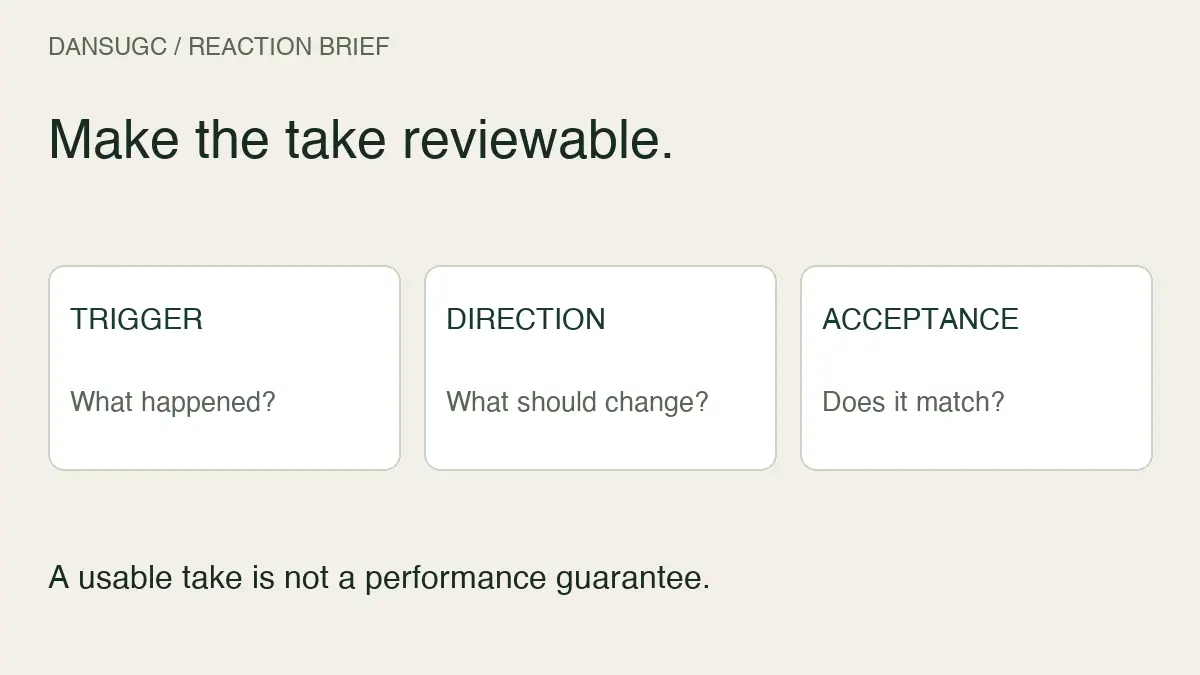
Turn the brief into acceptance checks
Before ordering, write down what you will inspect. The goal is to distinguish a missed instruction from a new creative preference introduced after delivery.
For the example above, check that both takes exist, the expression changes visibly, the eyeline matches the reference, the face stays inside the planned crop, the peak has the requested hold, and the files have no baked-in overlays. Watch the footage at phone size as well as full size.
Keep the decision specific:
- Accept: the requested take is present and fits the agreed composition and timing. This means production acceptance, not proof it will get views or sales.
- Ask for clarification: the delivery label is unclear, a file appears missing, or the intended use is not documented.
- Request a scoped correction: an agreed instruction was missed, such as the eyeline facing away from the product-screen position. Refer to the original brief and the relevant moment in the file.
- Request a new scope: you now want a spoken line, a different prop, or a different concept that was not part of the order. Do not describe new work as an automatic revision.
One useful feedback note is: “Take B reaches the requested expression, but the hold ends before the two seconds specified in the brief. Please keep the same framing and extend the hold.” That is actionable. “It does not feel viral” is not.
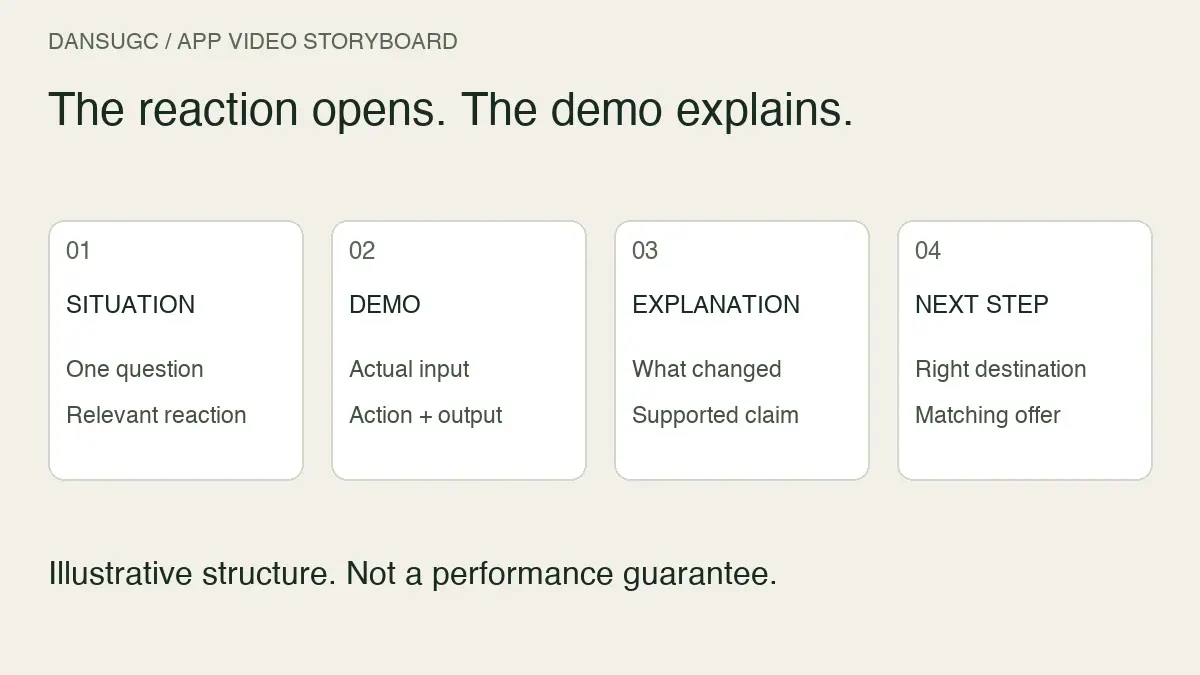
For a wider pre-publication check, use the UGC video quality scorecard. For a finished app sequence rather than a source-footage brief, use the reaction-video app storyboard. Keep those stages separate: a good source clip still needs an accurate final edit.
How many takes should you request?
For one defined reaction, start with two or three purposeful takes:
- the requested intensity;
- one adjacent intensity;
- an alternate gesture or eyeline if the editor will test placement.
Do not request ten nearly identical takes without a plan for using them. Variation is useful when it changes a production variable. Duplicate files are not a testing strategy.
When you need diversity, change one of these deliberately: creator, emotion, intensity, trigger, framing, eyeline, gesture, or context. Track that choice in the filename or creative log.
How should brands test reaction footage?
Do not treat the expression as proof of performance. Treat it as one creative variable.
Keep the product claim, body, offer, and call to action stable when you want to compare different reactions. Keep the reaction stable when you want to compare hooks or offers. If every element changes, a winning export does not tell you what to repeat.
Name the files clearly. For example: `creator-emotion-intensity-eyeline-take`. Then record which reaction clip appears in each finished edit.
The useful question is not “did reaction videos work?” It is “which reaction supported which message for this audience and placement?”
No reaction format is guaranteed to improve CTR, CPC, conversion rate, or creative fatigue. Those outcomes depend on the full ad, offer, audience, placement, measurement, and product.
Check the rights before editing
Reaction footage is still creator likeness. Confirm the intended use before publishing.
At minimum, check:
- paid advertising and organic brand channels;
- editing, cropping, captions, voiceover, and combining with other footage;
- duration and territory;
- exclusivity or reuse limits;
- platform and placement restrictions;
- whether attribution is required.
Checked on October 9, 2026, the DansUGC B-roll page advertises individual videos at $15, or $11 per clip with signup and subscription, with non-exclusive commercial licensing included. These are advertised library terms, not a custom-production quote or an unrestricted ownership promise. Confirm the selected offer and its usage terms before buying.
For a current budget based on format and volume, use the UGC cost calculator.
Common reaction-brief mistakes
asking for “viral”
Virality is not a controllable performance direction. Brief the trigger, expression, composition, and usable timing.
copying a reaction without its context
The face only makes sense because of what the creator appears to see or understand. Preserve that relationship in the new edit.
forcing a fake testimonial
Do not turn a visual reaction into an unsupported product claim. Separate emotion from experience.
forgetting the hold
The editor needs time at the peak expression. Ask for two seconds, then cut what you do not need.
buying volume before defining the test
More clips do not solve an unclear message. Decide what variable each clip changes before ordering the batch.
The operator rule
Brief the reaction like footage, not magic.
The creator needs a trigger, emotion, intensity, eyeline, frame, timing, and use case. The editor needs handles, clean files, and rights. The growth team needs a test that changes one meaningful variable.
That is enough to turn a vague request into usable footage.
If you want to test the format before ordering, download the free UGC reaction sample. If you know the exact creator and scene you need, send a custom order. If reusable raw reactions are the better fit, browse the reaction clip library.
Quick answers
What should a UGC reaction video brief include?
Include the trigger, emotion, intensity, starting state, eyeline, framing, action, timing, audio, background, wardrobe, delivery specification, usage rights, and prohibited claims or gestures.
How long should a reaction clip be?
Long enough to include the starting expression, change, peak, two-second hold, and reset. The editor can shorten the footage later. The required length depends on the action rather than a universal number.
Should a reaction video be scripted?
Script exact spoken claims when necessary, but direct silent reactions with a trigger and emotional beat rather than a line-by-line performance. Never script a fake customer experience.
How many reaction takes should a creator film?
Two or three purposeful takes are usually more useful than a pile of duplicates: the requested intensity, an adjacent intensity, and one alternate gesture or eyeline when needed.
Do UGC reaction videos always outperform other ads?
No. Reaction footage is one creative input, not a performance guarantee. Results depend on the complete message, offer, audience, placement, product, and measurement.
How this guide was refreshed
Updated October 9, 2026: this guide retains the production checklist and adds a clearly hypothetical filled brief and delivery-acceptance workflow. The library offer was rechecked on the live DansUGC B-roll page. The illustration is an original production diagram, not a performance dataset or a screenshot of client results.
Ready to get UGC videos for your brand?
Real human creators, 48-hour delivery, full commercial rights. Starting at $9/video.